Friday again, this week has just flown by and it is that time of the month when I show you my latest digital art piece. I visited the Art with Flo YouTube channel to look for a tutorial that took my fancy and I found this Dreamy Lighthouse digital art tutorial for Procreate on her channel. I loved the colors and there is always something special about a lighthouse.
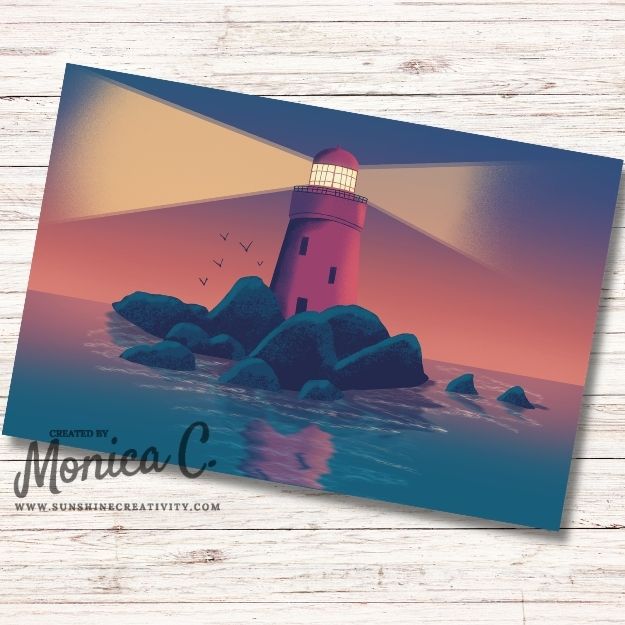
In this tutorial, she shows how to use symmetry in drawing, how to create light and shading, and then how to create the reflection in the water and the ripples. It was such a fun tutorial to work through. In addition to the Dreamy Lighthouse digital art piece here, I also tried my hand at creating a digital mockup to show how my drawing would look as a piece of wall art. I was quite pleased with the result of the experiment.
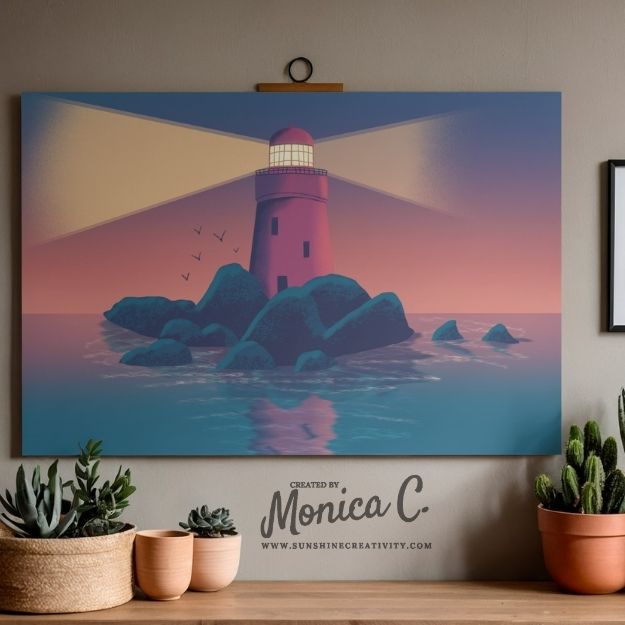
Thank you for visiting with me today as I show off my version of the Dreamy Lighthouse digital art created in Procreate. Have a good weekend and I will see you again next week.
Click thumbnail to see the video
In line with new European Data Protection Laws (GDPR) by commenting you know that your name and comment are visible to all who visit this blog and thereby consent to the use of your personal information for this specific purpose.
Many thanks for visiting and commenting on my blog!
Monica
Don’t miss out…
I would love to have you subscribe to my new project posts. You will get one email a week with a link to my new posts.
I don’t spam. Read my Privacy Policy
Related Posts
How to draw a fun and easy watercolor snowman using Procreate

It is Friday again and time for another blog post share. Today I am sharing my digital drawing for this… Read More
Beautifully done. I like the scene and the colours you chose. Such a peaceful picture.
The wall art experiment looks great too. 🙂